Binomo App
Download the trading app for your smartphone from the official Binomo website using the button below. You can also explore alternative installation methods in our review.
Risk warning: Trading carries high risk of losing your capital.
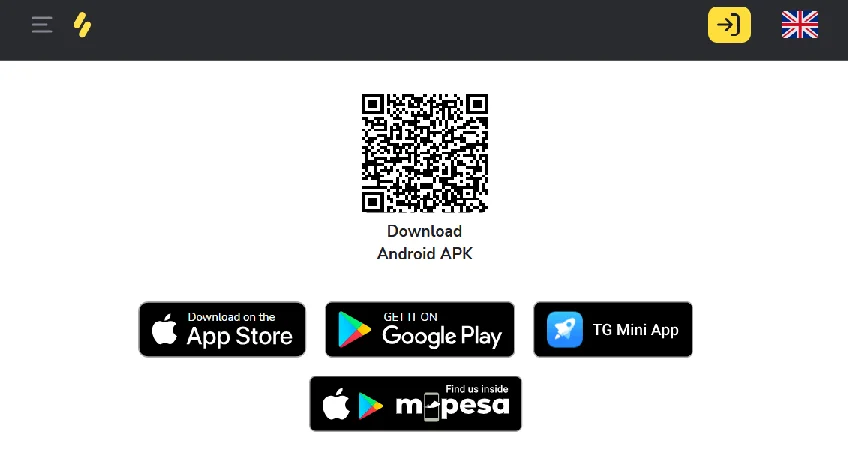
Where to Download Binomo App
| Platform | Method | Where |
|---|---|---|
| Android | Google Play Store | Search “Binomo” (publisher: Dolphin Corp) |
| Android (no Play) | Direct APK | Binomo official website |
| iOS | App Store | Search “Binomo: Smart investments” (developer: Titawin Limited) |
| iOS (no App Store) | Web version | Binomo website via Safari → Add to Home Screen |
Google Play and the App Store are the recommended starting points. The APK and web version are official alternatives — use them if your region or device restricts access to the standard stores.
Binomo App Download for Android
Install from Google Play Store
- Open Google Play Store on your device
- Search “Binomo” in the search bar
- Select the app published by Dolphin Corp
- Tap “Install” and wait for the download to complete
- Launch from your home screen after installation
If the app doesn’t appear in search results, your region may have Play Store restrictions. In that case, use one of the APK methods below.
System Requirements
- Android 5.0 or higher
- Android 8.0+ recommended – fewer compatibility issues
- Download size: approximately 30 MB
APK Installation: When You Need It
If Google Play is unavailable in your region or on your device, these alternatives will work:
| Platform | Compatibility | Setup Complexity |
|---|---|---|
| AppGallery | Huawei (HarmonyOS/EMUI) | Low — built-in on Huawei devices |
| Galaxy Store | Samsung (OneUI) | Low — pre-installed on Galaxy devices |
| Aptoide | All Android 5.0+ | Medium — requires APK download |
| Direct APK | All Android 5.0+ | Medium — manual installation |
How to install the APK manually:
- Use the button on this page to open the official Binomo website, then sign up or log in. Open the menu and choose the APK download option.
- Enable “Install from Unknown Sources” in your phone’s Security settings.
- Download the APK from the official domain and open the file from your notifications or file manager.
- Confirm the permissions and complete the installation.
- Turn off “Unknown Sources” afterward for security.
The only downside is that updates are not automatic, so you’ll need to check the Binomo website occasionally and install new versions yourself.
Binomo App Download for iOS
Install from App Store
- Open App Store on your device
- Search “Binomo: Smart investments” or search by developer name — Titawin Limited
- Tap “Get” (free download)
- Wait for installation to finish and launch from your home screen
System Requirements
- iOS 14.0 or higher
- Compatible with iPhone, iPad, iPod touch, and Apple Vision devices
- Download size: approximately 89 MB
App Store Unavailable in Your Region: Web Version as a Full Alternative
In some regions, the App Store does not distribute Binomo due to local regulations on fixed-time trading. The mobile-optimized web version is an official, fully functional solution and not a temporary workaround. The interface adapts to mobile screens and includes nearly all app features: live charts, full asset access, deposits, and withdrawals.
How to add Binomo to your home screen via Safari:
- Open Safari and visit the Binomo website
- Tap the Share icon (square with upward arrow) at the bottom of the screen
- Scroll down and select “Add to Home Screen”
- Name your shortcut, for example “Binomo Trading”
- Tap “Add” in the top right corner
This creates an icon that opens Binomo directly from your home screen without browser controls showing. For everyday use, it behaves just like a native app.
First Launch and Setup
Account Registration
After opening the app for the first time:
- Tap “Register” on the welcome screen
- Choose your registration method: email (enter your address and create a password), Google account, or Facebook account (one-tap authentication)
- Select your account currency from the dropdown — USD, EUR, GBP, or local options
- Review the Client Agreement and Privacy Policy
- Click to “Sign Up”.
- Confirm your email via the verification link sent to your inbox
One thing to note: currency selection is permanent and cannot be changed after registration. Choose based on your primary funding method to avoid conversion fees. If you plan to deposit in USD, select USD from the start.
Security Settings
Right after logging in, enable two-factor authentication through Settings → Security. You can choose between SMS codes sent to your registered phone number or time-based tokens through an authenticator app such as Google Authenticator or Authy. The authenticator app is generally the better option. It works without mobile signal and is not vulnerable to SIM swap attacks. With 2FA active, your account stays protected even if your password is compromised.
What's in the App
Trading Interface
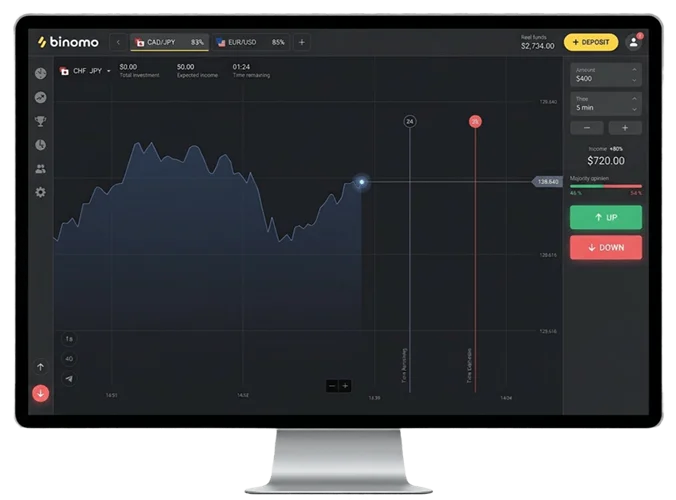
When you open the app, the main screen shows a live price chart for your selected asset along with a trading panel at the bottom and your current balance split between real and demo funds. From the asset list you can browse 70+ instruments across forex pairs, commodities, indices, and cryptocurrencies. Each asset displays its current payout percentage, so you know what return to expect before placing a trade.
Placing a trade takes four steps: select an asset, set your investment amount (from $1), choose an expiration time, then tap the green UP or red DOWN button. The trade closes automatically at expiration with no early exit option available.
If you want more details about the platform, see our main Binomo page, where we cover trading modes and key features.
Charts and Indicators
Charts come in three styles: Candlestick, Heikin Ashi, and Line. Timeframes run from 5 seconds to 30 days. Most mobile traders stick to 1-minute to 1-hour intervals since they’re easier to read on smaller screens.
The Android app includes a full indicator set: Moving Averages (Simple, Exponential, Weighted), RSI, MACD, Bollinger Bands, Parabolic SAR, CCI, ADX, and Stochastic Oscillator. The iOS app covers Moving Average, Alligator, and Bollinger Bands. If you need the full suite on iPhone, the web version has all indicators available.
Drawing tools include trendlines, horizontal support and resistance levels, Fibonacci retracement levels, and channels. On Android, you can draw up to 20 lines per chart.
Demo Account
The Binomo demo trading account loads automatically after registration with $10,000 in virtual funds. All assets, charts, and indicators available on live accounts work the same way in demo mode, making it a reliable environment to test strategies before switching to real money.
Troubleshooting
Android Issues
| Issue | Cause | Solution |
|---|---|---|
| App crashes on launch | Corrupted cache or outdated OS | Clear cache in Settings → Apps → Binomo → Storage → Clear Cache. Update to Android 8.0+ if possible |
| Google Play services error | Missing or outdated Play services | Install the latest Google Play Services APK from the official source. Restart your device after installation |
| Charts not loading | Poor connection or server issue | Switch between WiFi and mobile data. Check Binomo’s status page for outages |
| Login loop | Cached credentials conflict | Log out completely, clear app data, restart your device, then log back in |
| Payments failing | Incorrect card details or regional restrictions | Verify card number and CVV. Try an alternative payment method. Contact support if the issue continues |
For persistent issues, uninstall the app completely, restart your device, and reinstall from Google Play or a fresh APK download.
iOS Issues
| Issue | Cause | Solution |
|---|---|---|
| Login failures | Wrong password or locked account | Reset password via email recovery. Check for an account lock after multiple failed attempts |
| Charts freezing | App memory or outdated iOS | Force-close the app by swiping up from the home indicator, then relaunch. Update to the latest iOS version |
| Payment errors | Card blocked for international transactions | Confirm your bank allows payments to offshore platforms. Try an e-wallet or crypto as an alternative |
| Notifications not working | Permissions disabled | Go to Settings → Binomo → Notifications and enable all categories |
For unresolved technical problems, the 24/7 live chat inside the app connects you faster than emailing [email protected].
Account Verification
KYC on Binomo requires three elements: a government‑issued ID, a recent proof of address, and a selfie holding your ID. You can upload everything through the profile section in the app. Verification usually finishes within 24 hours, although delays may happen if documents are blurry, expired, or don’t match the details in your account. If it takes longer than 48 hours, contact support via live chat.
For a full explanation of requirements and possible issues, see the Binomo registration (verification section) on our main guide page.
Frequently Asked Questions
The official sources are Google Play (search “Binomo”, publisher: Dolphin Corp), the App Store (search “Binomo: Smart investments”, developer: Titawin Limited), and Binomo’s official website for direct APK download. Stick to these three. Third-party sites outside the official website and verified stores cannot guarantee you’re getting an unmodified version of the app.
Yes. You can install via AppGallery (Huawei), Galaxy Store (Samsung), Aptoide, or direct APK from Binomo’s official website. Enable “Unknown Sources” in Android security settings, install the file, then disable the setting once you’re done.
On Android through Google Play, updates install automatically or you can trigger them manually in the store. For APK installations, check Binomo’s official website for the latest version and reinstall manually. On iOS, updates come through the App Store the usual way.
Open AppGallery, which comes pre-installed on Huawei devices, and search for Binomo. No additional setup is required, making it the simplest route for HarmonyOS and EMUI devices.
Local regulations on fixed-time trading restrict App Store distribution in certain regions. The practical solution is to use Binomo’s mobile-optimized website through Safari and add it to your home screen. Keep in mind that using a VPN to get around this violates Binomo’s terms of service and puts your account at risk of closure.
Local regulations on fixed-time trading restrict App Store distribution in certain regions. The practical solution is to use Binomo’s mobile-optimized website through Safari and add it to your home screen. Keep in mind that using a VPN to get around this violates Binomo’s terms of service and puts your account at risk of closure.