Binomo Demo Account
Open a free demo account right now using the button below, or first take a look at our review of the demo mode features on the Binomo trading platform.
Risk warning: Trading carries high risk of losing your capital.
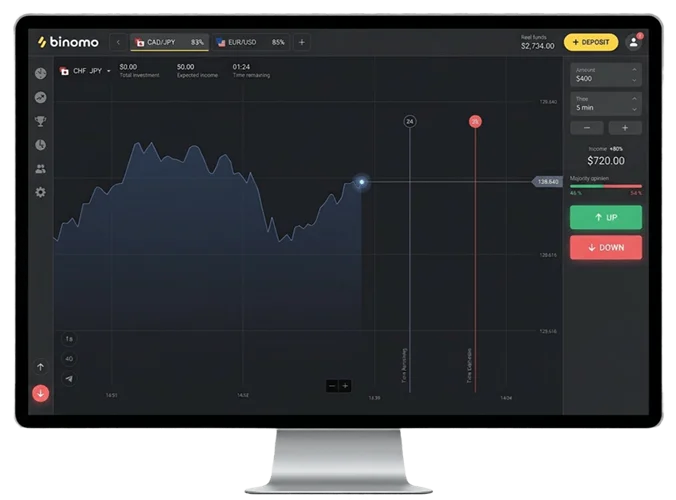
What Is a Demo Account in Binomo?
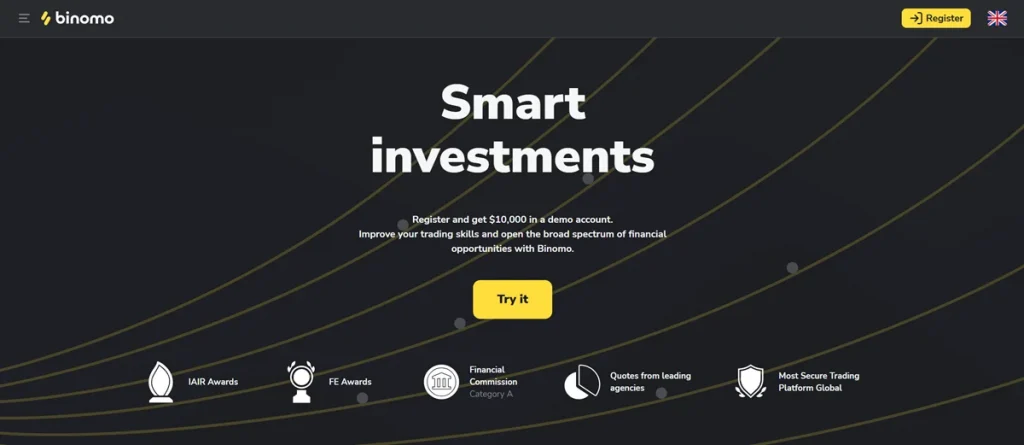
A Binomo demo account is a practice environment where you trade with virtual money instead of real funds. The platform credits your account with $10,000 in virtual currency that behaves exactly like real money within the trading interface. You can open positions, test strategies, and learn platform mechanics without risking your savings.
The demo account mirrors the live trading experience. You see real market prices, use the same technical indicators, and execute trades through identical controls. The only difference is that profits and losses affect virtual balance rather than actual money.
New traders use demo accounts to understand how fixed-time trading works, while experienced traders rely on them to test new strategies before applying them with real capital. Both groups benefit from unlimited practice time and full access to the Binomo platform.
Binomo Demo Account Features at a Glance
| Feature | What You Get |
|---|---|
| Virtual Balance | $10,000 starting capital |
| Account Expiration | None (unlimited access) |
| Balance Recharge | Automatic when depleted, unlimited resets |
| Trading Instruments | ~75 assets (forex, crypto, commodities, indices) |
| Technical Indicators | 25+ tools (RSI, MACD, Bollinger Bands, etc.) |
| Chart Types | Candlestick, line, bar, Heikin Ashi |
| Minimum Trade Size | $1 per position |
| Registration Required | Email only, no ID verification |
| Mobile Access | Full functionality on Android and iOS |
How to Sign Up for a Binomo Free Demo Account
Opening a practice account requires three pieces of information: your email address, a password, and your preferred display currency. The entire process takes about 3 minutes.
Registration Made Easy
Use the buttons in this guide to go directly to the official Binomo registration form – no need to search for the website manually. Once you’re on the sign‑up page, the process is quick:
- Enter your email and create a strong password (letters + numbers + symbols).
- Choose your account currency (USD is recommended) and accept the terms and conditions.
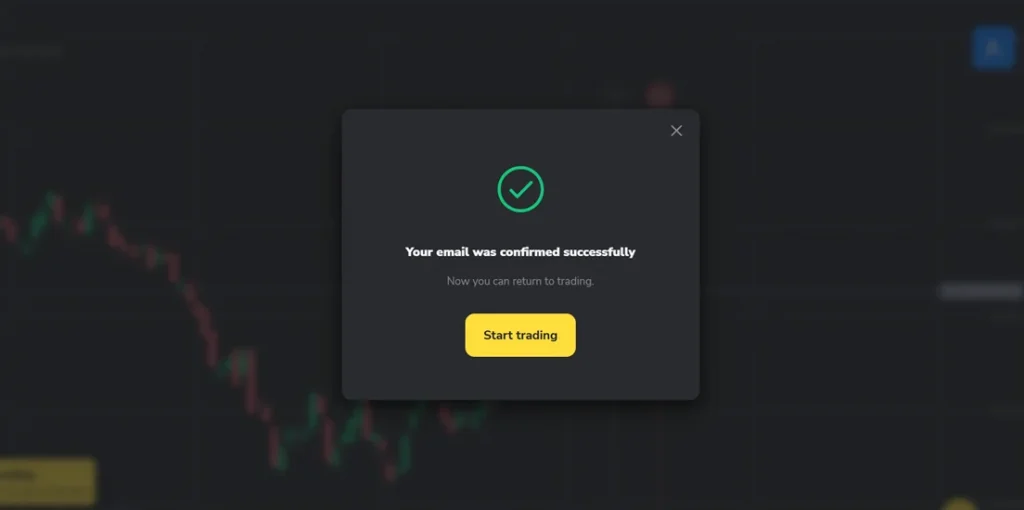
- Submit the form, then open your email and click the Binomo verification link.
- Log in with your new credentials.
After your first login, the platform automatically opens in demo mode, and your $10,000 virtual balance is instantly available.
Alternative Sign-Up Methods
Don’t want to create another password? Binomo supports social login through Google, Facebook. Just click the relevant icon, authorize basic access, and your account is ready. Apple users can even hide their real email address during setup for extra privacy.
Mobile App Registration
Prefer doing everything on your phone? Download the Binomo app from Google Play or the App Store, tap sign-up, and fill out the same quick form. Once your account exists, it works seamlessly across both web and mobile.
How to Log In to Your Demo Account
After you’ve registered, getting back into your account is simple. Visit the Binomo website or open the mobile app, click “Log In,” and enter your email and password. If you signed up through Google, Facebook, or Apple, use that same method instead.
The platform remembers your last active mode. If you logged out while using demo, that’s exactly where you’ll land when you return.
Switching Between Demo and Real Accounts
Once you fund a real account, an account switcher appears in the top navigation area. One tap or click toggles between demo and live trading modes. Your demo balance, settings, and chart configurations remain intact when you switch.
The platform uses different color schemes for demo and real modes. This visual distinction helps prevent accidental real-money trades when you meant to practice.
Troubleshooting Login Issues
If you can’t get in, double-check for typos in your email and remember that passwords are case-sensitive. For forgotten passwords, click “Forgot Password” on the login screen and follow the reset link Binomo sends to your inbox.
How to Use Your Demo Account
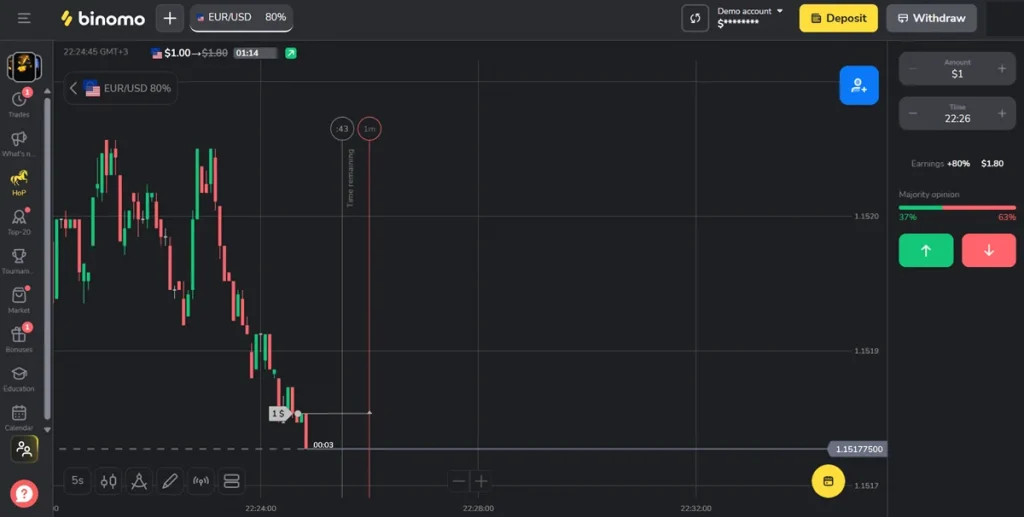
The demo platform provides full trading functionality. Understanding the interface and execution process helps you practice more effectively.
Platform Interface Overview
The trading screen is organized into distinct sections:
| Section | Location | Purpose |
|---|---|---|
| Account Switcher | Top bar | Toggle between demo and real accounts |
| Asset Selector | Top left | Choose trading instruments |
| Chart Display | Center | Price analysis and visualization |
| Trading Panel | Right side | Set position size, duration, execute trades |
| Indicator Menu | Bottom toolbar | Access technical analysis tools |
| Balance Display | Top right | Shows current virtual funds |
Placing Your First Demo Trade
Here is how to execute a practice trade from start to finish:
- Step 1: Select an asset. Click the asset dropdown and choose an instrument. EUR/USD works well for beginners due to its high liquidity.
- Step 2: Set contract duration. Choose how long until your trade expires. Start with 5 or 15-minute contracts while learning.
- Step 3: Choose position size. Enter an amount starting from $1 minimum. Smaller sizes let you practice more trades.
- Step 4: Check the payout. Note the percentage shown near trading buttons. An 85% payout means a winning $1 trade returns $1.85.
- Step 5: Make your prediction. Analyze the chart and decide if price will rise or fall.
- Step 6: Execute. Click green "Up" if you expect prices to rise, or red "Down" if you expect a decline.
The position opens immediately and runs until expiration. Results appear instantly when the contract ends, and your balance updates automatically.
Understanding Trade Outcomes
| Outcome | What Happens | Example ($1 trade, 85% payout) |
|---|---|---|
| Win | Receive stake + payout percentage | Get $1.85 back ($1 + $0.85 profit) |
| Loss | Lose entire stake | Lose $1 |
| Tie | Stake refunded (rare) | Get $1 back |
Using Technical Analysis Tools
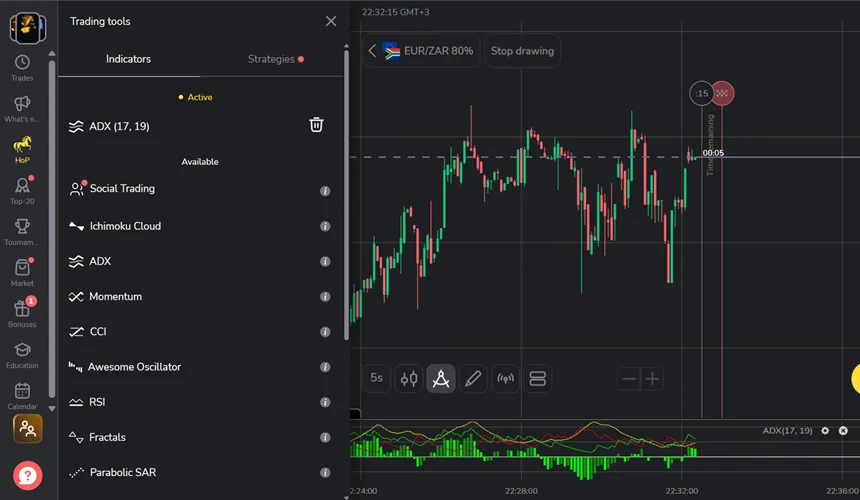
The indicator menu provides access to over 25 technical analysis tools organized by category:
- Trend Indicators: Moving averages, Parabolic SAR, Alligator
- Oscillators: RSI, Stochastic, CCI
- Momentum: MACD, ADX
- Volatility: Bollinger Bands, ATR
Click the indicator icon in the bottom toolbar to browse options. You can layer multiple indicators on one chart, though too many creates clutter. Most traders find success with 2-3 complementary tools.
Drawing tools let you mark support and resistance levels, draw trendlines, and apply Fibonacci retracements. These markings save across sessions.
Can You Withdraw Money from a Binomo Demo Account?
The short answer is no. You cannot withdraw a single cent from a demo account. That $10,000 balance exists purely for practice. You can’t transfer it out, cash it in, or move it to a live account.
This rule covers everything in your demo account, including profits. Land a winning streak that doubles your virtual balance? Congratulations on the practice, but those gains stay locked inside the demo environment.
Why Demo Withdrawals Are Impossible
Demo accounts simulate trading without involving actual money. The platform does not hold real funds on your behalf when you practice. There is nothing to withdraw because no money ever enters the system.
Think of demo funds like points in a video game. You can accumulate as many as you want, but they have no value outside that game. Virtual profits demonstrate that you can execute trades successfully, but they do not represent earned income.
How to Actually Earn Withdrawable Money
| Step | Action Required |
|---|---|
| 1 | Fund a live account (minimum $10 deposit) |
| 2 | Trade using real money |
| 3 | Generate profits from successful trades |
| 4 | Complete identity verification |
| 5 | Request withdrawal through available methods |
Processing times vary by withdrawal method. E-wallets typically process within 24 hours, while bank transfers may take several business days.
Demo Account Limitations
The practice account provides extensive functionality but has certain restrictions compared to funded accounts.
What Demo Users Cannot Access
| Feature | Demo Access | Requires Funded Account |
|---|---|---|
| Live Chat Support | ❌ | Standard tier and above |
| Real-Money Tournaments | ❌ | Any funded account |
| Economic Calendar | ❌ | VIP tier |
| Personal Account Manager | ❌ | VIP tier |
| Crypto News Feed | ❌ | VIP tier |
| Withdrawals | ❌ | Verified funded account |
Demo users can contact support through email at [email protected] or use the self-service help center. Response times are longer than live chat, so factor this in when troubleshooting platform issues.
The Psychological Gap
Virtual trading lacks the emotional pressure of real money. This creates a significant gap between demo and live performance that catches many traders off guard.
On demo, you might hold losing positions calmly, follow your strategy perfectly, and make rational decisions. The moment real money is at stake, fear and greed activate. Many traders who performed well on demo struggle immediately when they switch to live trading.
Consider demo results as indicators of your potential rather than guarantees of future performance. The technical skills transfer directly, but emotional management requires separate development with real capital at risk.
Demo vs. Live Trading: What Actually Changes
Knowing what shifts when real money enters the equation helps you set expectations that won’t set you up for disappointment.
| Aspect | Demo Account | Live Account |
|---|---|---|
| Capital | $10,000 virtual | Your actual deposit |
| Emotional Pressure | Basically zero | Substantial |
| Order Execution | Always instant | Slippage can occur |
| Platform Priority | Lower during busy periods | You go first |
| Support Access | Email only | Live chat (Standard+) |
| Withdrawals | Not happening | Available after verification |
| Tournament Access | Practice events only | Real prize pools |
| Verification Required | Just email | Full ID documentation |
Execution Quality Differences
Demo orders fill the moment you click, no matter what’s happening in the market. Live trading is different. During volatile stretches like major news releases, slippage can push your fill price away from where you expected to enter. The platform also prioritizes real accounts when traffic spikes.
Chart tools, indicators, asset selection, and payout percentages work identically on both accounts. Whatever you learn to do on demo, you can do on a live account.
- SSL encryption. Standard across all data transmission between your device and the platform.
- Two-factor authentication. Available and worth enabling. Significantly reduces unauthorized access risk even if your password is compromised.
- Segregated client funds. Binomo states that trader deposits are held separately from operating capital, though without regulatory oversight this isn’t independently audited or verified on any routine basis.
- VerifyMyTrade audits. Monthly execution quality reviews checking for quote irregularities and unusual requote patterns. These add transparency around trade execution specifically — they don’t cover financial stability or fund segregation compliance.
Effective Practice Strategies
How you use your demo account matters more than how long you use it. Purposeful practice builds skills; random clicking just burns through virtual funds.
Five Rules for Practice That Actually Helps
1. Pretend the money is real. Risk 1-2% of your demo balance per trade, just like you would with real capital. Good habits built now prevent expensive mistakes later.
2. Write everything down. Keep a journal tracking your reasons for entry, the analysis behind each trade, how you felt, and what happened. After 50-100 trades, patterns emerge.
3. Experiment with different timeframes. Some traders thrive on 1-minute contracts. Others do better with 30-minute positions. Figure out what suits your temperament.
4. Set targets you can measure. “Make money” is too vague. Try something concrete: hit a 55% win rate over 50 trades, or follow your rules 20 times straight without deviation.
5. Test in all kinds of markets. Practice during trends, sideways chop, volatile news events, and quiet sessions. Strategies that shine in trending markets often fall apart when price goes nowhere.
When to Move from Demo to Live Trading
Switch too early and you’ll hand over money you didn’t need to lose. Wait too long and you’ll never gain the experience that only real stakes can teach.
When you’re ready, start with the minimum $10 deposit and $1 positions. Mirror your demo approach exactly, and pay close attention to how real stakes change your decision-making. Keep your demo account active for testing new ideas or resetting after rough patches.
FAQ - Demo Trading
Not at all. An email address is enough to get started. Identity verification only becomes necessary after you deposit real money and want to withdraw your funds.
Go to the Binomo website or open the mobile app. Click “Log In” and type in your email and password. If you registered through Google, Facebook, or Apple, use that same social login option instead.
Completely free. Opening the account costs nothing, using it costs nothing. You get $10,000 in virtual funds without depositing a dime, the account never expires, and you can recharge it as many times as you want.
The platform automatically refills your balance to $10,000 once it hits zero. You can also reset manually through account settings whenever you want. There’s no cap on recharges.
The platform automatically refills your balance to $10,000 once it hits zero. You can also reset manually through account settings whenever you want. There’s no cap on recharges.
Because demo funds aren’t real. The money never existed outside the practice environment, so there’s nothing to withdraw. Earning actual money requires funding a live account and trading with real capital.