Pocket Option App
Click the button to download the app from the official platform website. Also, check out our overview of PO applications and their features.
Risk warning: Trading carries high risk of losing your capital.

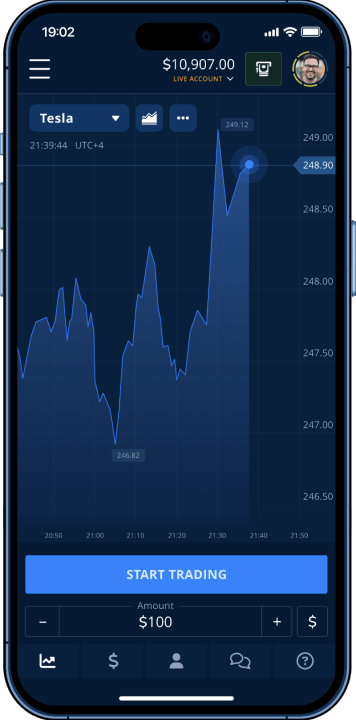
Pocket Option mobile applications provide instant access to 100+ trading assets with advanced charting tools. Learn verified download methods, system requirements, and setup optimization for Android and iOS.
Official Download Sources and Where to Get the App
Pocket Option has several official ways to get their app, depending on your device and location. The main source is their official website, which has verified installation files for all platforms. Mobile users can also get the app through Google Play Store for Android or Apple App Store for iOS.
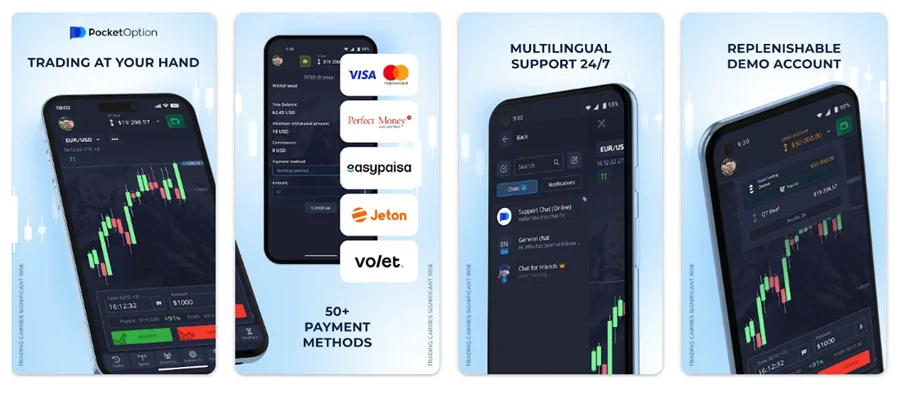
Verified Download Channels
- Official website - Direct downloads without going through third parties. This is usually the most reliable option and works in most countries.
- Google Play Store - Automatic updates and Google's security checks for Android users. The app gets regular updates pushed automatically.
- Apple App Store - Same convenience for iPhone and iPad users, with Apple's security review process.
- Direct APK downloads - For users in regions where app stores don't allow trading apps, or if you prefer manual installation.
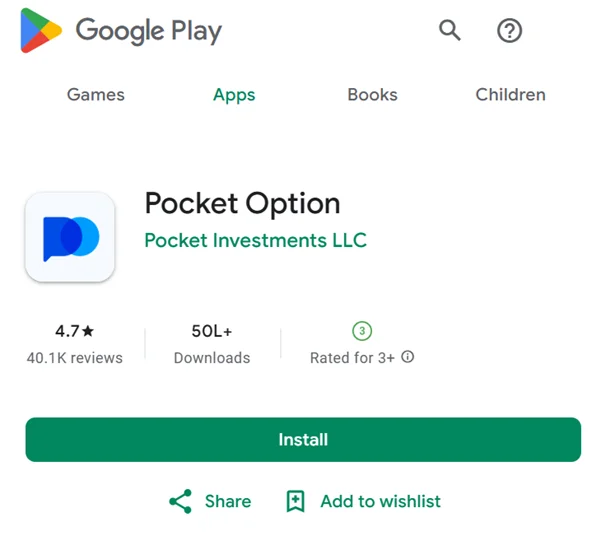
Always check that the publisher shows as “Pocket Investments LLC” when downloading. Fake apps copy the design but don’t have proper developer credentials. App store listings should show consistent branding, genuine user reviews, and regular updates.
Platform Compatibility
Different devices need different system resources and offer different experiences:
| Platform | OS Version | Download Size | Storage Required |
|---|---|---|---|
| Android | 5.0+ | 6-10 MB | 50 MB |
| iOS | 11+ | 8-12 MB | 60 MB |
Android version works on devices running Android 5.0 and higher, which covers about 95% of active Android devices. iOS compatibility starts with iOS 11, so most iPhones released after 2016 will work fine.
Step-by-Step Download for Mobile Devices
Mobile installation works differently on Android and iOS because of their different security systems and app stores. Android gives you more flexibility with installation methods, while iOS keeps things simpler through the App Store.
Android Installation Process
Here’s how to install on Android through Google Play Store:
- Open Google Play Store from your device’s home screen and search “Pocket Option” in the store’s search bar
- Verify the publisher shows as “Pocket Investments LLC” in app details
- Tap Install and accept the permissions for market data access
- Launch the app after installation completes and the icon appears
The app will ask for internet access (for real-time market data), storage access (for saving charts), and notification permissions (for trade alerts). These are normal for trading apps and safe to allow for the official app.
Alternative APK Installation
If Google Play Store doesn’t work in your region, you can install the APK file directly:
- Enable “Unknown Sources” in your Android security settings (only do this for trusted apps)
- Register or log in to your account on the Pocket Option website.
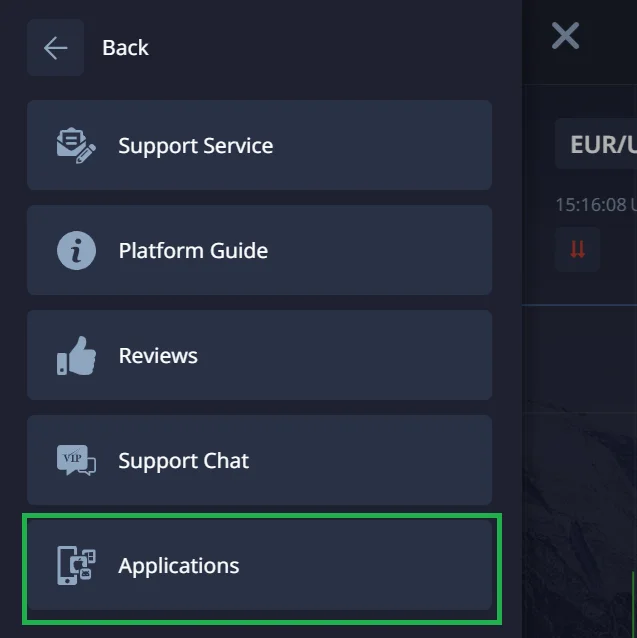
- Click on the Help section in the menu. In the dropdown list, select Applications. You’ll see a list of links to all the broker’s apps, including the APK for Android.
- Tap the download link for the APK, then follow the prompts on your smartphone to install the app.
This method requires more care since you’re bypassing Google’s security checks, but it works when the Play Store isn’t available.
iOS Setup for iPhone and iPad
To download the Pocket Option app for iOS, follow these steps:
The Old Method
- Open the App Store on your iPhone.
- Search for “Pocket Option” in the search bar.
- Tap “Get” to download the app and accept any required permissions.
- Once the installation is complete, launch the app by tapping its icon.
The New Method
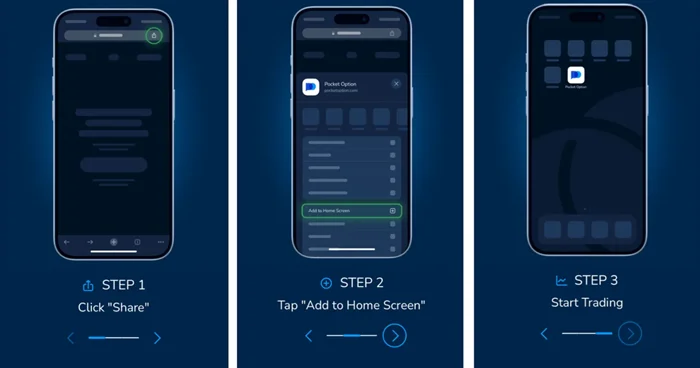
Once you’ve accessed the site, you can easily add the Pocket Option web app to your home screen for quick access. Tap the Share button, which looks like a square with an upward arrow, typically located at the bottom of the screen. From the menu that appears, select “Add to Home Screen.”
This will create a shortcut to the web app on your home screen, allowing you to access it like a regular app. After the icon appears, simply tap it to launch the web app. Log in using your username and password. If you don’t have an account yet, signing up is quick, easy, and free!
App Features and Trading Capabilities Comparison
Features vary across platforms due to hardware limitations and operating system restrictions. Mobile apps focus on essential trading functions while desktop versions provide expanded analytical tools and customization options.
Mobile vs Desktop Feature Set
Platform-specific limitations affect what features are available:
| Feature | Mobile App | Web Platform |
|---|---|---|
| Chart Analysis | 30+ indicators | 30+ indicators |
| Asset Selection | 100+ instruments | 100+ instruments |
| Social Trading | Full access | Full access |
| Tournament Mode | Available | Available |
| Push Notifications | Yes | No |
| Offline Charts | No | No |
| Multi-monitor Support | No | Yes |
| Custom Layouts | Basic | Advanced |
Mobile apps excel at push notification delivery and limited offline functionality. Web platforms offer universal accessibility without installation requirements but lack native notification support.
Trading Tools and Analytical Capabilities
Technical analysis tools span multiple categories for different trading strategies:
Trend Indicators:
- Moving Averages (Simple, Exponential, Weighted)
- MACD (Moving Average Convergence Divergence)
- Parabolic SAR for trend direction
- Bollinger Bands for volatility analysis
Oscillators:
- RSI (Relative Strength Index) for momentum
- Stochastic for overbought/oversold conditions
- Williams %R for market timing
- CCI (Commodity Channel Index)
Volume Indicators:
- On-Balance Volume for price/volume relationship
- Money Flow Index for buying/selling pressure
- Volume Rate of Change
- Accumulation/Distribution Line
Chart types adapt to different analysis preferences. Candlestick charts show open, high, low, and close prices for detailed pattern recognition. Line charts simplify trend visualization by connecting closing prices. Bar charts provide complete price information in compact format. Heiken Ashi charts smooth price action to highlight trend changes.
Asset Classes and Market Access
The app provides access to diverse financial instruments:
Currency Pairs:
- Major pairs: EUR/USD, GBP/USD, USD/JPY, AUD/USD, USD/CAD
- Minor pairs: EUR/GBP, GBP/JPY, AUD/JPY, NZD/USD
- Exotic pairs: USD/TRY, EUR/TRY, USD/ZAR
Cryptocurrencies:
- Bitcoin, Ethereum, Litecoin, Ripple, Bitcoin Cash
- Newer tokens: Cardano, Polkadot, Chainlink
- Crypto indices and synthetic instruments
Stocks:
- Tech giants: Apple, Google, Microsoft, Tesla, Amazon, Facebook
- Traditional companies: Coca-Cola, McDonald’s, Walmart
- Banking: JPMorgan, Bank of America, Wells Fargo
Commodities:
- Precious metals: Gold, Silver, Platinum, Palladium
- Energy: Crude Oil, Natural Gas, Brent Oil
- Agricultural: Wheat, Corn, Sugar, Coffee
Indices:
- US: S&P 500, NASDAQ, Dow Jones, Russell 2000
- European: FTSE 100, DAX, CAC 40, IBEX 35
- Asian: Nikkei 225, Hang Seng, Shanghai Composite
Asset availability depends on market hours and regional regulations. OTC trading enables 24/7 access to synthetic instruments that mirror underlying asset movements. Weekend trading remains possible through cryptocurrency markets and synthetic OTC instruments.
Account Setup and Initial Configuration
Account creation balances security requirements with user convenience. Registration typically completes within minutes, but full verification may require additional documentation for compliance purposes.
Registration Process and Account Types
Standard Registration:
- Enter email address and create strong password
- Verify email through confirmation link
- Complete basic profile information
- Choose account type and currency
Account Types Available:
Demo Account:
- $50,000 virtual balance for risk-free practice
- All platform features available
- No time limits or restrictions
- Perfect for learning and strategy testing
Real Account:
- Minimum $5 deposit to start trading
- Access to all trading instruments
- Real money profits and losses
- Various deposit and withdrawal methods
Islamic Account:
- Sharia-compliant trading without swap fees
- No interest-based transactions
- All standard features maintained
- Verification of Islamic faith may be required
Verification processing typically completes within 24-48 hours during business days. Weekends and holidays may extend processing times. Some regions require additional documentation due to local regulations.
Learn more about Pocket Option demo trading. A clear overview of the free account, available tools, and safe practice without real risk. Start here to explore features and execution before moving to live trading.
Conclusion
Pocket Option is available on mobile and desktop, giving access to OTC markets with solid analysis tools. Use mobile for quick checks and fast execution, and desktop app for deeper charts and multi-asset monitoring. Choose the platform that fits your workflow, install only from official sources, keep the app updated, and be mindful of regional restrictions. Start with a free demo account to learn the features without risk, and make sure your device and internet are reliable during critical trades. Ready to try it? Download Pocket Option from official sources and see which setup works best for you.
FAQ - PO App
Yes, account synchronization works seamlessly across all platforms with real-time data updates and position management. Login credentials remain consistent between devices, and all trading history transfers automatically. Your watchlists, settings, and open positions appear identically on all devices.
Unofficial downloads risk malware infection, account security compromise, and potential financial loss. Fake applications may steal login credentials, manipulate trading data, or install hidden malware. Always verify publisher credentials show “Pocket Investments LLC” and download from official sources only.
Limited offline functionality exists, but active trading requires continuous internet connectivity for real-time price feeds and order execution. The app caches some data for brief offline viewing, but you cannot place trades or receive live market updates without internet.
Typical usage ranges from 10-50 MB per trading session, depending on chart timeframes, indicator complexity, and real-time data frequency. Extended sessions with multiple assets and frequent chart updates may consume additional data. Heavy users might use 100-200 MB daily with active trading across multiple instruments.
Clear application cache, restart your device, ensure sufficient storage space, and update to the latest app version. Persistent issues may indicate insufficient system resources, conflicting applications, or device compatibility problems. Try closing background apps and reducing chart complexity if crashes continue.
Some regions have limited access through official app stores due to local financial regulations, but direct downloads from the official website remain available in most locations worldwide. Users in restricted regions can often access the platform through direct APK downloads or web versions.
Updates typically occur monthly with bug fixes, security improvements, and new features. Critical security patches may deploy more frequently to address emerging threats or regulatory changes. The app usually prompts for updates automatically, though you can check manually in your device’s app store.