QxBroker Demo Account
Start trading without risking real money by using the free demo account on the Quotex platform. It has its own limits and features, which we’ll cover in this article.
Risk warning: Trading carries high risk of losing your capital.
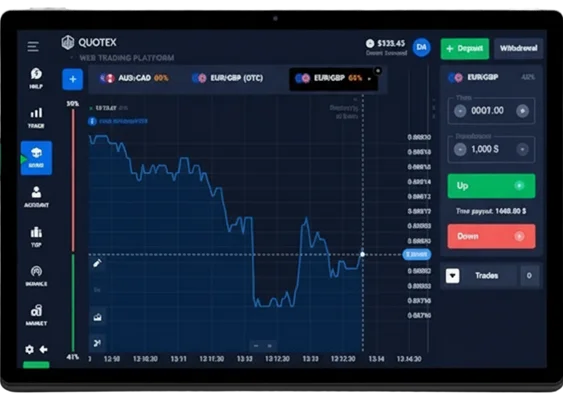
How to Open and Start Trading on Quotex Demo Account
Opening a Quotex demo account takes less than two minutes and requires only basic information. The platform prioritizes quick access over lengthy verification processes, allowing immediate trading practice.
Quick Registration Process
- Go to the official Quotex website and click the Sign Up button
- Enter a valid email address (no phone number is needed at this stage)
- Accept the terms of use (you can open the link and read them if you want)
- Choose your account currency (USD or another option)
- Click the registration button
- Check your email and confirm your account using the activation link
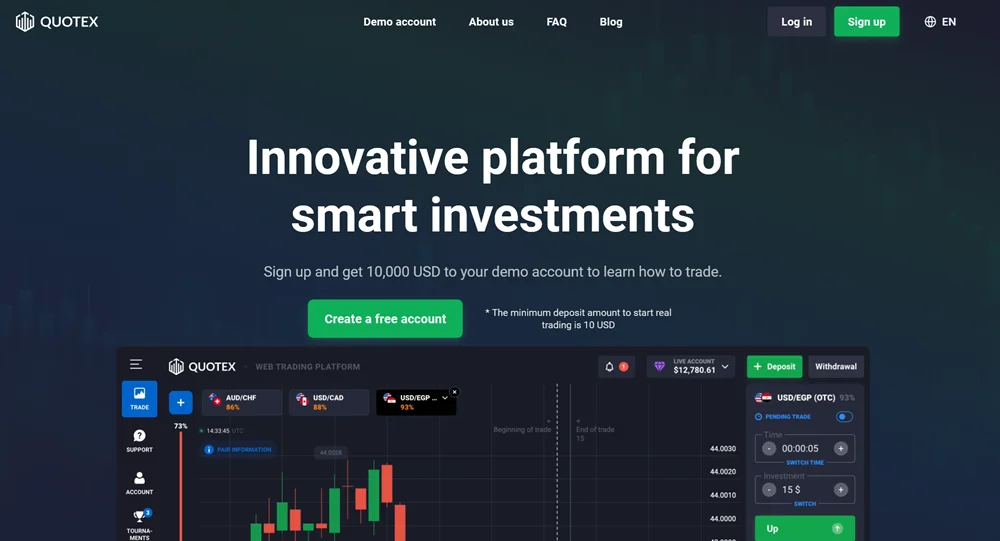
As you can see, the registration process is simple and doesn’t require extra personal details at the start. If you just want to test the demo mode, you don’t need to fill in your full profile with a phone number, documents, country, and so on.
But keep in mind that for real-money trading and withdrawals, you will need to verify your identity. Using fake information during registration will only create problems later.
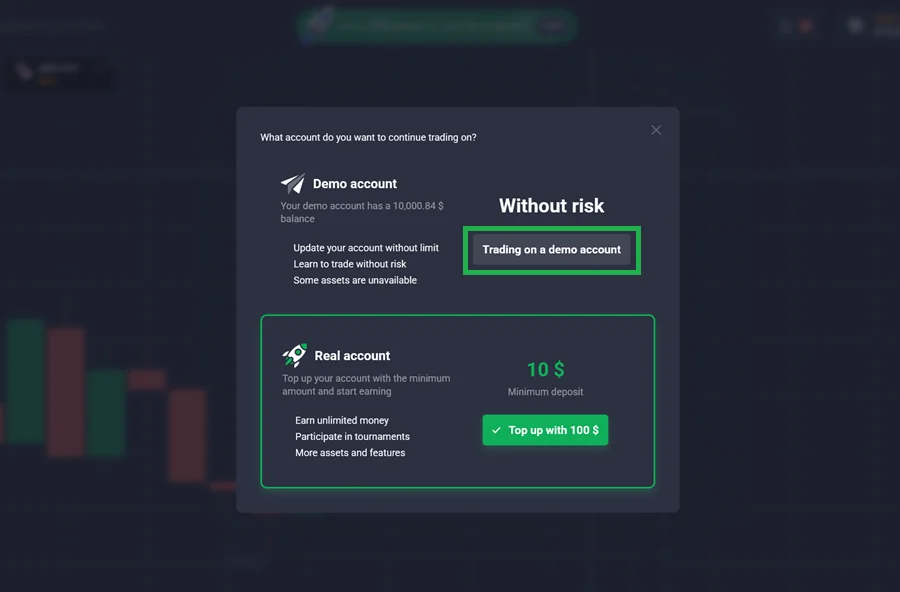
After completing the registration, you’ll be taken to a screen where you can choose between a real account and a demo account. As you can see in the screenshot, the platform highlights the real account option, while the demo mode is shown as a simple gray button (we’ve marked it for clarity).
We recommend not rushing into live trading. Start with the demo account instead. It lets you explore the trading interface at your own pace, and the built‑in interactive guide will even walk you through your first trade.
Platform Interface Overview
The trading interface displays five main sections: asset selection panel on the left, price chart in the center, trade setup controls on the right, account balance at the top, and trade history at the bottom. The clean layout prevents information overload while providing essential trading data.
Asset categories appear as tabs: currencies, commodities, cryptocurrencies, and indices. Each category shows current payouts and market status indicators. Green dots indicate active trading hours, while red dots show closed markets.
The chart section offers multiple timeframes from 1 minute to 1 month. Traders can switch between candlestick, line, and bar chart formats using controls below the main chart area.
Placing Your First Demo Trade
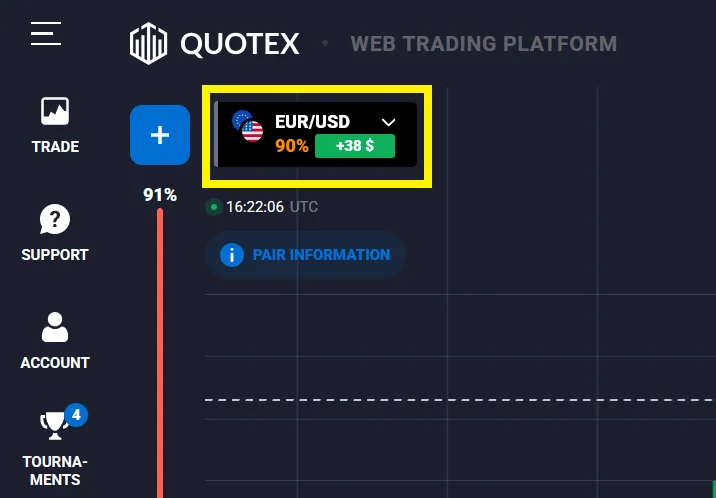
- Select an Asset: Choose EUR/USD from the currency pairs section for stable price movements
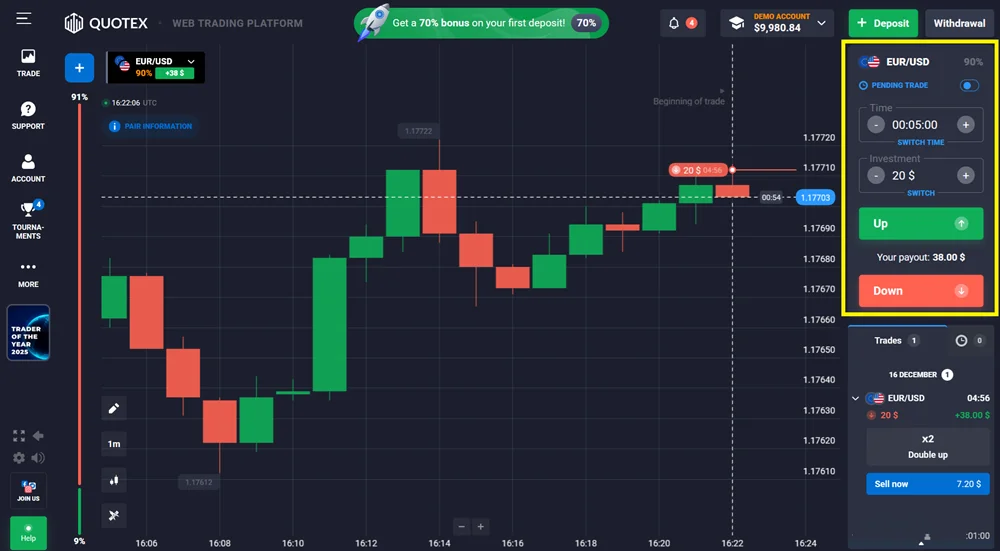
- Set Investment Amount: Start with $10-20 to practice position sizing without depleting virtual balance quickly
- Choose Expiry Time: Select 5-minute expiry for balanced risk and learning opportunity
- Predict Direction: Click "Higher" if you expect price to rise or "Lower" for price decline
- Execute Trade: Confirm your selection and watch the trade progress in real-time
- Monitor Results: Track your prediction accuracy and payout calculation
| Parameter | Options | Beginner Recommendation |
|---|---|---|
| Investment Amount | $1-$1000 | $10-50 per trade |
| Expiry Time | 1min-1month | 5-15 minutes |
| Asset Selection | 200+ options | EUR/USD or Gold |
| Daily Trade Limit | Unlimited | 10-20 trades max |
New traders often make the mistake of using maximum investment amounts immediately. Starting with smaller virtual amounts builds proper risk management habits that transfer to live trading.
The platform provides instant feedback after each trade closes. Winning trades add profit to your virtual balance, while losing trades deduct the investment amount. This immediate result cycle helps reinforce learning patterns.
What Makes the QxBroker Demo Useful
The Quotex demo account is an easy way to explore the platform without risking money. After registration you can switch to demo mode instantly and practice with a virtual balance of 10,000. The interface is the same as on a real account, so it’s simple to learn how charts, payouts and order placement work. No documents or deposits are needed, and you still get access to chart types, indicators and timeframes. This makes it a convenient space to test settings, understand the platform and decide whether real trading is something you want to move toward.
Realistic Chart Behavior
The demo account uses the same price feed that the platform displays on real balances. Price movement is not simplified, so you can see how assets behave during volatile and quiet periods. This helps beginners understand how the market moves in real conditions and gives a more honest impression of what trading looks like.
At the same time, it is important to understand that the platform does not have independent verification from well‑known auditing or data‑quality agencies, unlike major regulated forex brokers. Quotex operates offshore, and there are no large compliance firms confirming the accuracy or integrity of its pricing. Because of this, the demo feed should be viewed as a convenient training tool, not as verified market data in the professional trading sense.
Tools Available in Demo Mode
All the main features remain accessible:
- Popular indicators like RSI, MACD, moving averages and Bollinger Bands
- Several timeframes
- Different chart types
- Saved layouts
- An economic calendar
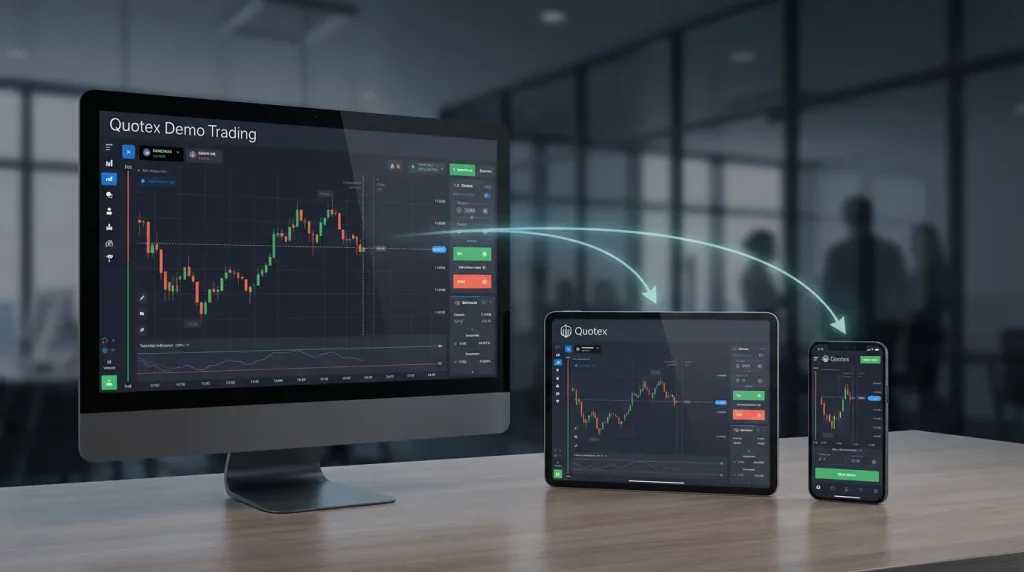
- Access from both desktop and mobile
You get access to common indicators, chart settings and timeframes. These tools are standard for most platforms and are enough for basic testing. Still, this is not professional charting software, and the platform does not offer advanced analytical depth or stability that traders expect from regulated brokers.
Asset Categories Overview
| Category | Examples | Payout Range | Market Hours |
|---|---|---|---|
| Currency Pairs | EUR/USD, GBP/JPY | 80-85% | 24/5 |
| Cryptocurrencies | Bitcoin, Ethereum | 75-80% | 24/7 |
| Commodities | Gold, Oil | 82-87% | Limited |
| Stock Indices | S&P 500, FTSE 100 | 78-83% | Regional |
Currency pairs dominate trading volume, with EUR/USD accounting for approximately 28% of all demo trades. The major pairs like USD/JPY and GBP/USD offer the highest liquidity and most predictable price movements. Exotic pairs such as USD/TRY or EUR/ZAR provide higher payouts but increased volatility.
Cryptocurrency trading operates continuously, making it attractive for traders in different time zones. Bitcoin and Ethereum maintain the tightest spreads, while newer altcoins like Solana or Cardano offer opportunities for higher returns with elevated risk levels.
Practicing Strategies and Risk Management Basics
The demo account works well as a testing space. Most users start by choosing one or two assets and trying a simple approach such as support and resistance levels or indicator signals. Keeping the setup consistent for a few days helps you see whether an idea is stable or needs tweaking.
Treating the virtual balance as real money is important. Clicking randomly and resetting the balance teaches nothing. A bit of structure improves results and helps build good habits.
Risk management on a demo account is useful for forming habits, but real conditions feel different. Since Quotex is an offshore broker with mixed reputation, users should be especially cautious when later switching to real money and avoid treating the environment as equivalent to regulated financial markets.
Switching to a Real Account
There is no fixed moment when you must leave the demo environment. A good sign is when you can follow your own rules for a few days or weeks without sudden emotional decisions. Starting with the minimum deposit helps reduce pressure and gives you time to adjust to the difference between virtual and real money.
Common Transition Mistakes
New live traders often increase position sizes dramatically compared to their demo ratios. A trader using 2% risk per demo trade might suddenly risk 10% on their first live trade, seeking to “make up for lost demo time.” This behavior typically results in rapid account depletion.
Another frequent error involves strategy abandonment after the first few live losses. Demo trading creates false confidence because virtual losses feel insignificant. Real money losses trigger emotional responses that override logical decision-making processes.
Psychological Preparation Techniques
Mental preparation usually comes down to getting used to making decisions under some level of pressure. Some traders try to add small consequences to demo losses, while others use simple focus or breathing techniques to stay calm during fast market moves. These methods are not perfect, but they help build basic discipline.
There is no single agreed‑upon path for moving from demo to real trading. Some prefer to start with a small live balance right away to experience real emotions, while others take a slower approach and practice on demo for a longer period. A common middle ground is beginning with a small deposit and adding more only after gaining confidence. In the end, the choice depends on your own risk tolerance and learning style.
What You Should Keep in Mind
A demo account on the Quotex platform offers a simple space to learn the interface and test basic trading ideas without financial risk. It mirrors the real layout and is easy to work with, but it is not a replacement for platforms that operate under stronger regulatory supervision. Use it as a training environment, keep in mind the limitations of an offshore broker and avoid making decisions based only on demo performance.
Traders ready for live markets can transition with Quotex’s $10 minimum deposit requirement, carrying forward proven strategies developed during demo phases. The key lies in maintaining the same disciplined approach that created demo success.
FAQ - Qx Demo
Not necessarily. Demo trading removes fear, greed and pressure, which are major factors in real trading. Strategy performance on a demo account is helpful for practice, but it doesn’t guarantee identical results with real money.
Yes, the demo balance resets instantly and without limitations. However, frequent resets often indicate poor risk management practices that should be addressed before live trading.
The platform, like most brokers, states that its charts reflect real market data. In general the price movement looks similar to what you would see elsewhere, but it is still worth checking the behavior against independent sources such as TradingView if you want to be sure. No demo environment should be taken as a perfect mirror of the real market, so treating it with a bit of caution is reasonable.
Yes, users can toggle between demo and live modes within the same platform interface. This allows ongoing strategy testing alongside live trading activities.
No. Demo funds are virtual and exist only for training and marketing purposes. They are not real money and cannot be withdrawn under any circumstances. The balance is there to help you practice, not to generate profit you can cash out.
No. There is no method, shortcut or hidden feature that allows you to convert virtual funds into real ones. Any claims or “Guides” you might see online contradict how demo systems work in general. The demo balance is separate from your real balance and will always remain virtual.
There is no fixed rule. Many traders switch once they can follow a simple plan, control their trade size and avoid impulsive actions. Moving to a small real balance gradually is usually safer than jumping in with a large deposit.