Quotex Account Registration
Read our guide on creating an account in Quotex or explore alternative trading platforms that are currently popular.
Risk warning: Trading carries high risk of losing your capital.
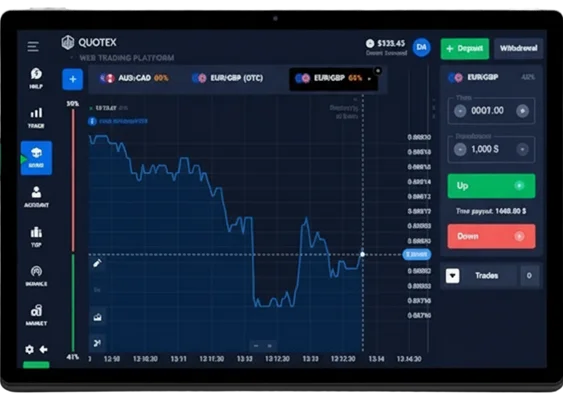
How to Open an Account in Quotex
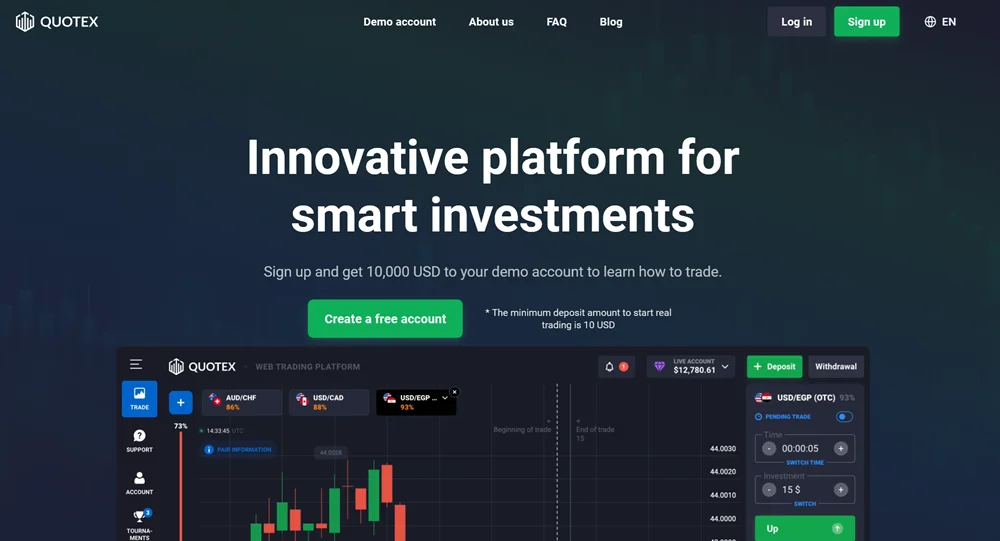
Registration Steps:
- Visit official Quotex website
- Click "Sign Up" button on homepage
- Select account currency (cannot be changed easily later)
- Accept terms and conditions. And click to registration button.
- Verify email address through confirmation link
- Log into account and explore demo trading features
The registration form asks only for your email, a password, and the account currency. Unlike brokers such as IQ Option, Quotex does not request full personal data at this stage. The downside is that many users only discover the full KYC requirements when they try to make their first withdrawal.
The platform accepts any password that is reasonably complex: a mix of upper and lower case letters, numbers and special characters. Very simple passwords are rejected, so you will have to choose something stronger.
After registration, Qxbroker sends a confirmation link to your email. Usually it arrives within a couple of minutes. If you do not see it in your inbox, it is worth checking the spam or promotions folders.
Once the email is confirmed, you can log in to your account using your email and password – the process is no different from other similar broker platforms.
Account Configuration Options
Quotex supports several account currencies, including USD, EUR, GBP, BRL, IDR, MYR, INR, KZT, RUB, THB, UAH and VND. The choice is wider than at many competitors, but there is a catch: changing the account currency later is difficult and usually requires contacting support, with possible conversion fees.
Demo Account Activation
Every new user gets access to a demo account with a virtual balance of 10,000 dollars. You can restore this balance at any time, so practice is effectively unlimited. The demo feels very similar to live trading, but without the real market slippage and execution delays that can occur on a live account.
Document Verification and KYC Requirements
Quotex is registered in Seychelles and still has to follow basic Know Your Customer rules for all trading accounts. The requirements here are softer than with brokers regulated in the UK or Australia, which makes verification easier but also means a lower level of regulatory oversight.
Required Documentation
Acceptable identification documents include national ID cards, passports, driver’s licenses, and residence permits. The system rejects expired documents, partial images, or poor-quality photos automatically. Document scans must show all four corners clearly, with text readable at standard zoom levels.
Some users report successful verification using a residence permit as their main ID document, something that stricter European brokers usually do not accept. For traders from less supported regions this is convenient, but from a strict compliance perspective it looks more questionable.
Verification Process Steps
The submission process occurs through the account dashboard under “Personal Information” settings. Users fill mandatory fields including full name, date of birth, country of residence, and complete address.
Document upload accepts JPEG, PNG, and PDF formats with maximum file sizes of 10MB. The system processes both sides of identification cards separately, requiring front and back images for complete verification.
Processing timeframes range from 24 hours to 5 business days, depending on document quality and review queue length.
Blurry photographs account for approximately 60% of rejection cases. Using smartphone cameras in good lighting conditions typically produces acceptable image quality. Professional document scanning is unnecessary but may speed up approval for borderline cases.
Name mismatches between registration details and identification documents trigger automatic rejections. The system compares names character-by-character, rejecting applications with spelling differences or missing middle names.
| Document Type | Requirements | Approximate Processing Time |
|---|---|---|
| National ID | Both sides, clear text, valid document | 1–3 days |
| Passport | Photo page, all corners visible | 1–2 days |
| Driver’s License | Both sides, valid expiration date | 2–4 days |
| Residence Permit | Current validity, readable text | 3–5 days |
In practice, passports and national ID cards are usually approved the fastest. Driver’s licenses and residence permits tend to face more questions and repeat submissions, especially if the photo is blurry or the expiry date is close.
Account Funding and Payment Methods
Quotex payment infrastructure supports traditional and modern funding methods, though availability varies by geographic location. The minimum deposit requirement of $10 positions the broker among the most accessible in the digital options market.
Available Deposit Options
Credit and debit card processing operates through established payment gateways including Visa, MasterCard, and Maestro networks. Card deposits appear in trading accounts instantly, making this the preferred method for immediate trading access.
The platform supports e‑wallets such as Perfect Money, Advcash and Piastrix. These services are especially common in Eastern Europe and some Asian countries, where bank cards and wire transfers are not always the most convenient option. The exact fees depend on the provider and usually fall in the 2–5 percent range.
You can also fund your account with cryptocurrencies such as Bitcoin, Ethereum, Litecoin and several altcoins. The minimum deposit is usually 50 dollars for Bitcoin and Ethereum and 30 dollars for Litecoin. In most cases funds appear in the trading account within 15–60 minutes, depending on network load and the specific coin.
Deposit Process and Limits
When you deposit in a currency different from your account currency, the platform shows the approximate exchange rate. It updates frequently during active market hours. Extra conversion fees may still apply on the side of the payment provider, so it is worth checking how your bank or e‑wallet handles currency exchange.
For first deposits above 100 dollars you can often activate a deposit bonus (for example, +30% to the amount). Bonus money cannot be withdrawn straight away: you first have to reach a required trading volume. It is important to read the bonus terms in detail, otherwise you may end up with funds that are technically on the account but difficult to withdraw
Account Status Levels
Standard accounts receive basic platform access with standard payout rates. The system automatically upgrades accounts to Pro status when cumulative deposits reach $5,000. Pro accounts enjoy increased payout percentages and priority customer support.
VIP status usually requires around 10,000 dollars in total deposits and unlocks the highest payout rates, up to about 95 percent on successful trades. VIP clients also receive occasional promo codes and more personalized support.
| Payment Method | Min Deposit | Processing Time | Fees | Global Availability |
|---|---|---|---|---|
| Visa/MasterCard | $10 | Instant | 0% | High |
| Perfect Money | $10 | 1-2 hours | 2-3% | Medium |
| Bitcoin | $50 | 30-60 minutes | Network fees | High |
| Ethereum | $50 | 15-30 minutes | Gas fees | High |
| Bank Transfer | $50 | 1-3 days | 0-2% | Low |
Platform Setup and Trading Interface Configuration
The Qxbroker platform runs in a web browser, so there is no need to download or install separate software. This makes it easy to use the same account from different devices, but serious technical traders may still miss some of the advanced tools available in desktop platforms.
Trading Platform Customization
Chart configuration options include four primary types: candlestick charts for detailed price action analysis, line charts for trend identification, bar charts for traditional technical analysis, and Heiken Ashi charts for smoothed price movements. Each chart type serves specific analytical purposes, with candlestick charts proving most popular among experienced traders.
You can switch between multiple timeframes, from very short intervals for scalping to longer charts for broader trend analysis. In practice, most users trade on the 1‑minute and 5‑minute charts, as these are the most popular for short‑term strategies.
Technical indicator integration provides 29 different analysis tools, including 11 trend indicators and 18 oscillators. Popular choices include Moving Averages, RSI, MACD, and Bollinger Bands. For basic technical analysis these tools are enough, but if you rely on complex custom indicators or multi‑screen setups, a platform like TradingView or MetaTrader will still offer more flexibility.
Asset Selection and Organization
Currency pair coverage includes 23 major and minor pairs, focusing on high-liquidity instruments like EUR/USD, GBP/USD, and USD/JPY. Exotic pairs receive limited representation, which may disappoint traders seeking diverse currency exposure.
Commodity instruments include precious metals (gold, silver), energy products (crude oil, natural gas), and agricultural products. The selection focuses on globally traded commodities with high volatility, suitable for short-term trading strategies.
Cryptocurrency options feature major digital assets including Bitcoin, Ethereum, and Litecoin. The platform adds new cryptocurrencies periodically, though selection criteria remain undisclosed. Some traders prefer specialized crypto exchanges for broader digital asset access.
Trading Tools Configuration
The platform also shows built‑in trading signals that are advertised with accuracy “up to 87 percent”. These appear as colored arrows on the chart and suggest a potential trade direction. There is no independent proof that these numbers are realistic, so it is safer to treat the signals as an additional hint rather than a guaranteed way to profit.
Risk management tools include maximum daily loss limits and trade size restrictions. Users can set personal trading limits to prevent excessive losses during volatile market periods. These features help inexperienced traders maintain discipline but require manual activation.
Essential Platform Settings:
- Enable two-factor authentication for account security
- Set comfortable chart colors and zoom levels
- Configure audio alerts for trade notifications
- Adjust automatic logout timing preferences
- Select preferred currency display format
- Customize news feed and market analysis sections
Common Issues You May Encounter
If you face technical issues during registration, verification or deposits, try the following:
- switch to another browser or temporarily disable your VPN,
- check the spam or promotions folders in your email,
- take screenshots of any error messages and attach them to your support ticket.
This usually saves several rounds of back‑and‑forth with the support team and speeds up the resolution.
Expert Perspective and Alternative Viewpoints
Looking at the wider digital options market, QxBroker sits somewhere in the middle: the entry barrier is low and the interface is simple, but the platform clearly lags behind major regulated brokers in terms of tools and client protection.
The verification process, while faster than traditional brokers, raises questions about regulatory compliance standards. Seychelles-based regulation provides operational flexibility but offers limited investor protection compared to FCA or CySEC oversight.
In practice, you have to choose between convenience and strict regulation: either a quick start with fewer checks, or more paperwork but stronger legal protection.
The very simplicity of the interface has a downside. One‑click execution makes it easy to open trade after trade without much thought. This is convenient for the broker, as trading volume goes up, but can be dangerous for beginners who have not yet built a stable strategy or risk rules.
The built‑in signal system should also be treated carefully. The advertised “up to 87 percent accuracy” looks impressive on paper, but there is no public track record or methodology behind this number. Serious signal providers usually show detailed statistics and risk metrics – here, this information is missing.
Payment method diversity represents a genuine platform strength. The inclusion of cryptocurrency options and regional e-wallets demonstrates understanding of global market needs. However, the lack of traditional bank wire transfers may limit institutional or high-net-worth individual participation.
Account setup complexity falls below industry averages, which benefits user onboarding but may indicate insufficient risk assessment procedures. Regulatory best practices typically require more extensive client profiling to ensure suitable product matching.
Overall, Quotex fills a clear niche for traders who want quick and simple access to digital options and are ready to accept the typical risks of offshore platforms. It is not the best choice for long‑term, large‑scale trading or for those who rely on deep analytics and strong regulation. Whichever broker you use, starting with small position sizes and spending enough time on a demo account remains the most sensible way to approach this market.
FAQ - QxBroker Sign Up
Verification typically completes within 1-5 business days, depending on document quality and submission timing. High-quality documents submitted during weekdays process faster than weekend submissions or poor-quality images requiring manual review.
Acceptable documents include national ID cards, passports, driver’s licenses, or residence permits. All documents must be current, show all four corners clearly, and contain readable text. Expired documents or partial images are automatically rejected.
Currency changes require customer support intervention and may involve conversion fees. The process takes 1-3 business days and requires justification for the change. Selecting the preferred currency during registration avoids later complications.
The minimum deposit is $10 for most payment methods, with cryptocurrency deposits requiring $50 minimum. VIP account benefits require $10,000 total deposits, while Pro status activates at $5,000 cumulative funding.
Demo accounts activate automatically upon registration with $10,000 virtual balance. The demo resets daily and provides full platform access without real money risk. Both registered and unregistered users can access demo trading features.
Demo trading begins immediately upon registration. Live trading requires account funding, which processes instantly for card deposits or within hours for alternative methods. Verification is not required for trading but becomes mandatory for withdrawals.
Rejected documents trigger email notifications explaining the specific issues. Common problems include poor image quality, expired documents, or incomplete visibility. Resubmission with corrected documents typically processes within 24-48 hours.
Small withdrawals (typically under $100) may process without verification, though this varies by account history and withdrawal method. Larger withdrawals or frequent transactions require completed KYC documentation before processing.
Support access includes tickets for registered users. Response times range from 2-24 hours depending on issue complexity. Phone support is not available, and unregistered users have limited contact options.